
Your investments deserve solid security. A strong password is a good start, but a second check adds another layer of safety. You can switch it on in under two minutes.
Why it matters
Passwords get reused, leaked and guessed. If someone gets hold of yours, two-factor authentication means they still can't log in without a second check.
Scams are getting more sophisticated, and we keep improving how we protect our investors. Adding extra security is your choice, and you can switch it on whenever you like.
Two-factor authentication (2FA)
2FA is a second check that makes it much harder for anyone else to access your account. When you log in, you enter your password, then a six-digit code from an authenticator app on your phone. Someone with your password still can't get in without that code.
The code changes every 30 seconds, so only you can generate it.
Biometric login
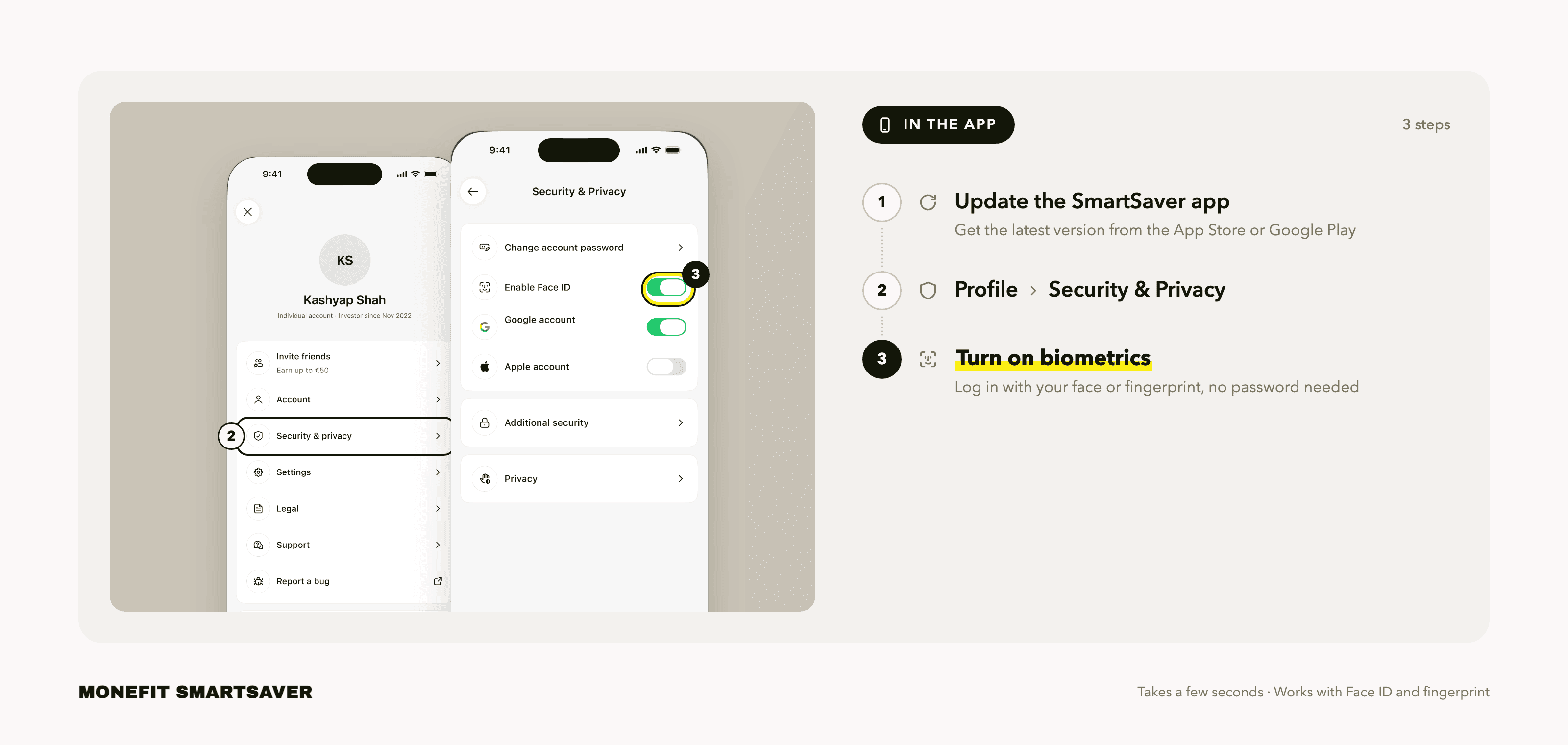
In the SmartSaver app, you can log in with Face ID or your fingerprint. It's quicker than typing your password, and it's personal to you.
How to get set up
Watch our 70-second security walkthrough video or check the step-by-step guide below. We show you where to find each setting, so you can follow along.
Set up 2FA on the web or in the app
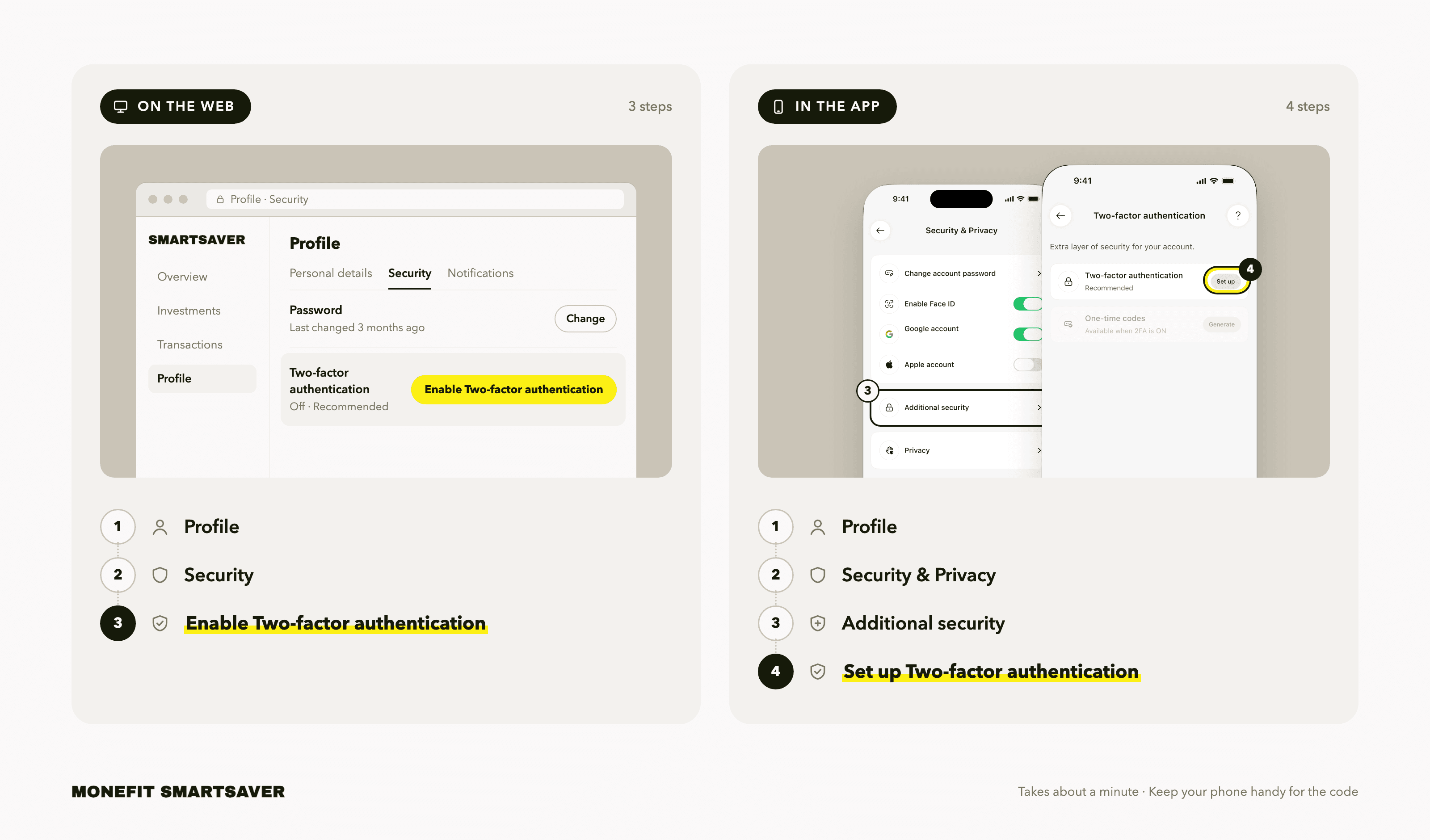
For web, go to Profile, tap Security, then Enable Two-Factor Authentication.
For app users, go to Profile in the top left corner, then Security & Privacy, and Additional security. From there you can set up 2FA in under 2 minutes.
Then save your one-time codes. These are backup codes that give you access if you lose your phone. They can only be generated once, so write them down or store them somewhere safe before you close the page.
Set up biometrics in the app
Good to know
- Wrong codes: If you enter the wrong 2FA code too many times, or use a code after it has expired, your account may be temporarily blocked. Contact our support team and they'll help you unblock it.
- Lost your phone? Use one of your one-time codes, or contact support.
- Scam check: We won't ask you for your password or login code by email, phone or chat. If someone does, it isn't us.
- Changing your account details: To keep your account safe, some details can only be changed by contacting our customer support team. This includes your account name, phone number and email address. Before we make any change, we run extra security checks to confirm it's really you.
Two minutes today could save you a lot of stress later.
Capital at risk. SmartSaver is an investment platform, not a savings account or bank product, and returns are not guaranteed. Read the full terms at monefit.com/en/legal. The information presented in this blog post is valid as of the time it is published. The content is intended to provide information only and is not meant and should not be considered as financial or investment advice of any kind.